


Denon DJ SC2900 - Hybrid MIDI Mode Setup
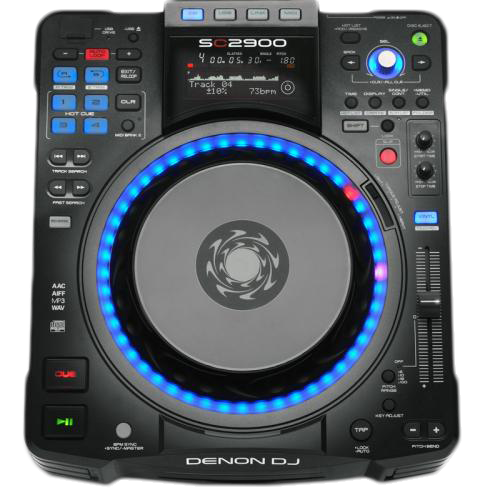 Denon DJ introduced the world’s first Hybrid MIDI mode, which generates the required CD/Vinyl control signal (timecode) from within the deck’s DSP allowing for super accurate tracking and spinning platter performance without using the CD timecode.
The guide below walks through how to set up and use the Denon DJ SC2900 in Hybrid MIDI Mode with DVS. Utilize this guide to help you set up DVS with some your favorite DJ applications such as Serato, Virtual DJ, Traktor and MixVibes.
Contents
Hardware Setup for DVS
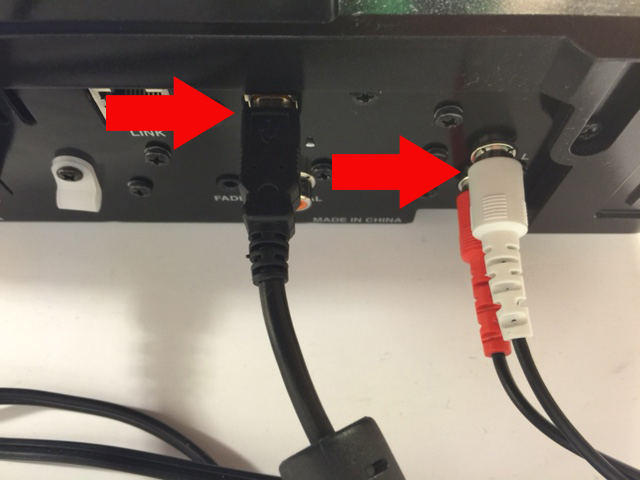
- Connect via USB from your SC2900 to an available USB port on your computer. Also, connect your RCA wires from the SC2900 to an available LINE input on your DJ mixer.
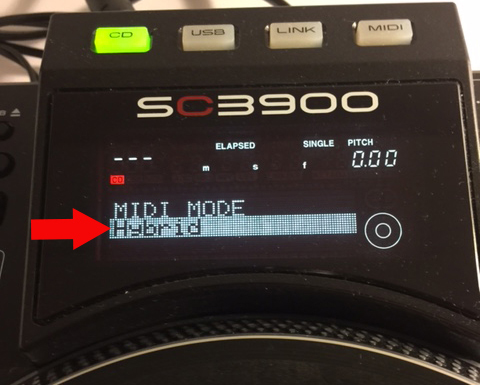
- On your SC2900, press the MIDI button and turn the SEL knob until you see Hybrid mode displayed on your screen. Push in the SEL knob when Hybrid is highlighted.
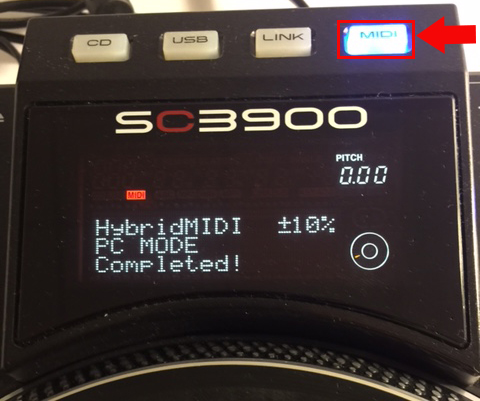
- When complete, you'll notice that your screen displays HybridMIDI PC MODE Completed! This means you've successfully connected the SC2900 to your computer.
- Next, push down and hold the MEMO-UTIL button your SC2900.
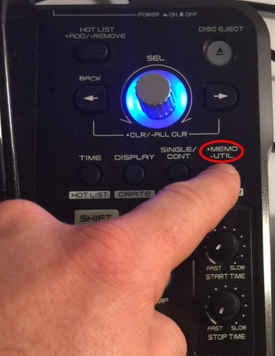
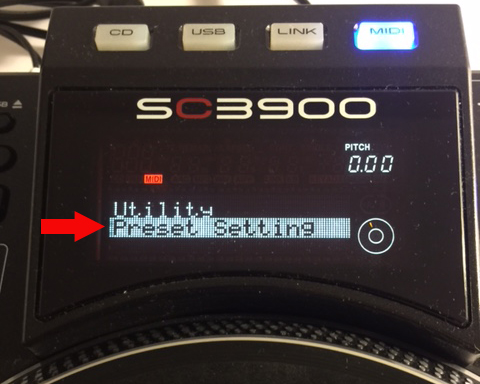
- Turn the SEL knob until you see Utility - Preset Setting displayed. Push in the SEL knob.
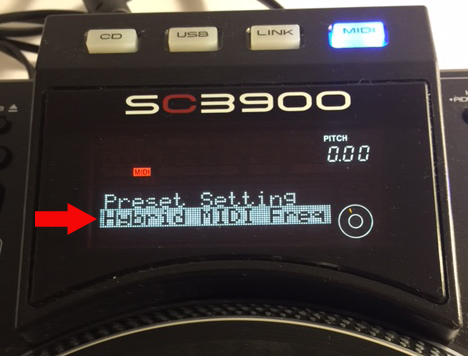
- Turn the SEL knob until you see Preset Setting - Hybrid MIDI Freq. Push in the SEL knob.
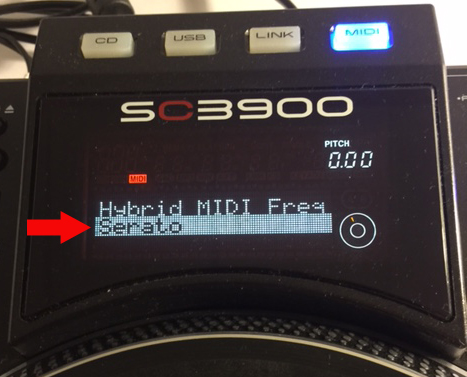
- Select Hybrid MIDI Freq - Serato as your setting by pushing in the SEL knob.
- Next, turn the SEL knob and select Preset Setting - MIDI CH. Push in the SEL knob to select this setting.
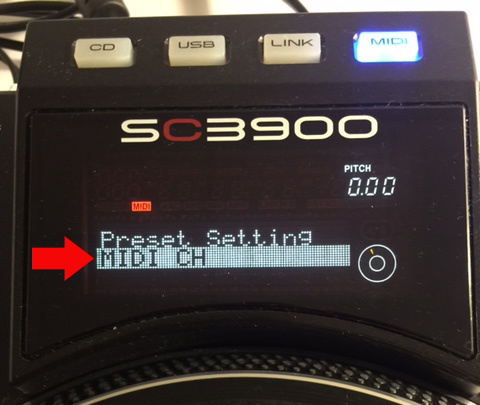
- Select MIDI CH - 5 if the SC2900 is going to be your left deck. Select MIDI CH - 6 if the SC2900 is going to be your right deck. Push in the SEL knob to activate the appropriate MIDI CH. When complete, press MEMO-UTIL to exit and save your settings.
Important Note: When using other DVS applications, (Traktor Scratch, MixVibes) keep your Left deck setting to CH 1 and change your Right deck setting to CH 2. For Virtual DJ Pro and 8, keep your Left and Right deck MIDI CH setting to 1 and select, Normal MIDI mode since native support is offered in Virtual DJ 7.4 or higher.
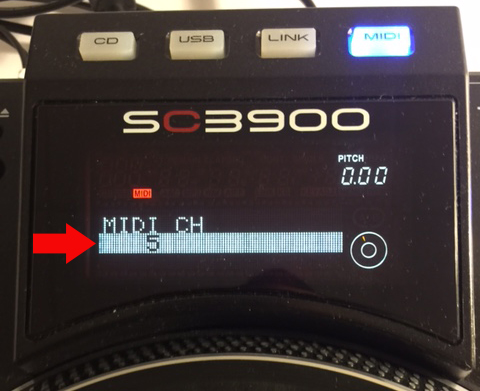
- Push the MEMO/-UTIL key again to save your setting and exit this mode. After completing this, you may begin to use your decks!
Rane & Serato SL Soundcard Setup
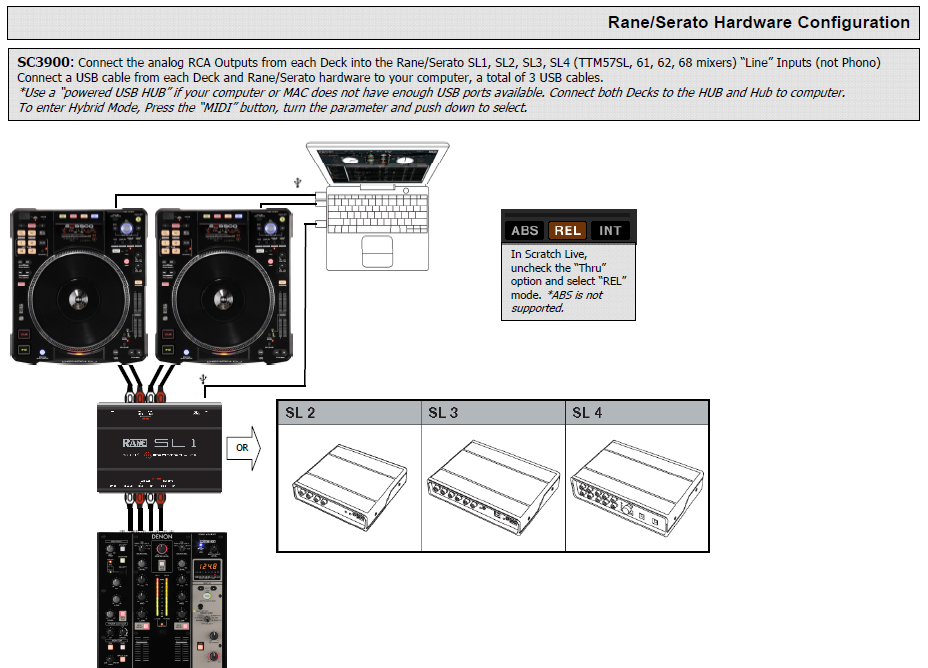
The configuration below walks through how to properly setup the Denon DJ SC2900 media player when using the Hybrid MIDI Mode in Serato Scratch Live or Serato DJ.
Further Technical Support
Whether you are a customer or dealer, if you already own a Denon DJ product, or if you just have pre-sales questions, the Denon DJ technical support team is available to help! Visit the link below to connect with any of the following support options: online community support, phone support, email support.