


Denon DJ MC6000MK2 - Setup In Virtual DJ 7
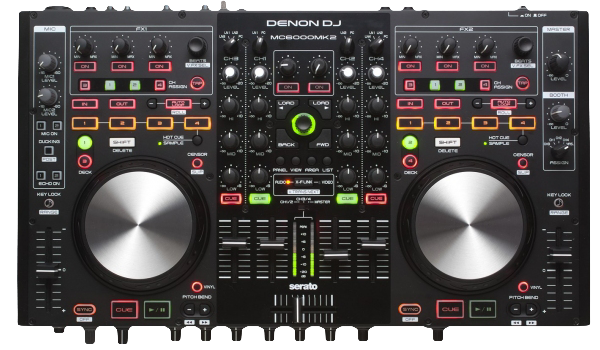 The MC6000Mk2 is Denon DJ's next generation, flagship professional DJ controller and digital mixer. Created to be the definitive tool for the most discerning of contemporary club and mobile DJ's, the slimline, table-top steel chassis unit blends a 4 channel/8 source real-time matrix operational digital mixer with an uncompromising 24-bit, class leading digital and analog audio interface. The following guide walks through how to successfully set up the Denon MC6000MK2 in Virtual DJ 7 Pro.
Contents:
Drivers Installation:
Windows Users:
If you're using a Windows operating system, download and install the DENON DJ ASIO driver to ensure that you have the latest available version.
Mac Users:
You won't have to install any additional drivers. This controller is class compliant for this operating system. Make sure your Mac detects all of the available output channels from the MC6000MK2. To check this:
- Click on the Spotlight icon in the top right hand corner of your screen.
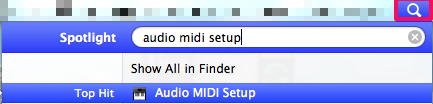
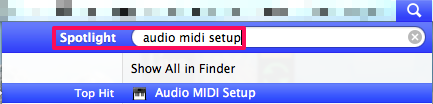
- Type Audio MIDI Setup.
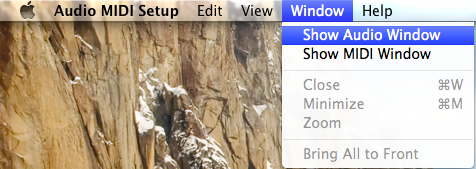
- From the top left hand corner of your screen, select Window -> Show Audio Window.
- Select the MC6000MK2 from the list and select Output. Click on Configure Speakers.
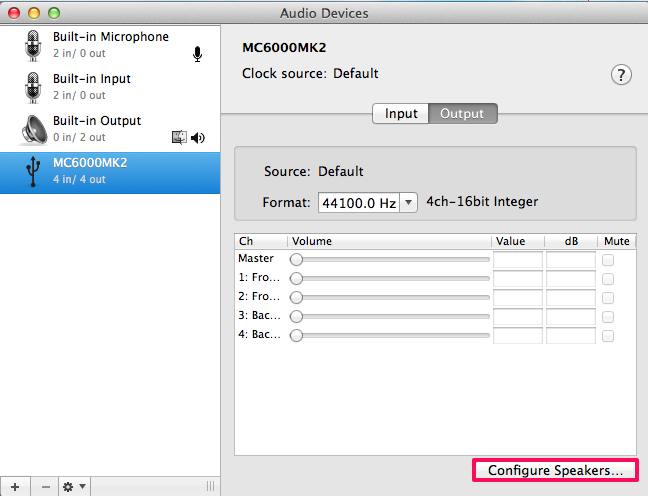
- Select Multichannel. On the right of that, change the selection from Stereo to Quadrophonic if not already. You should see 4 speakers displayed there.
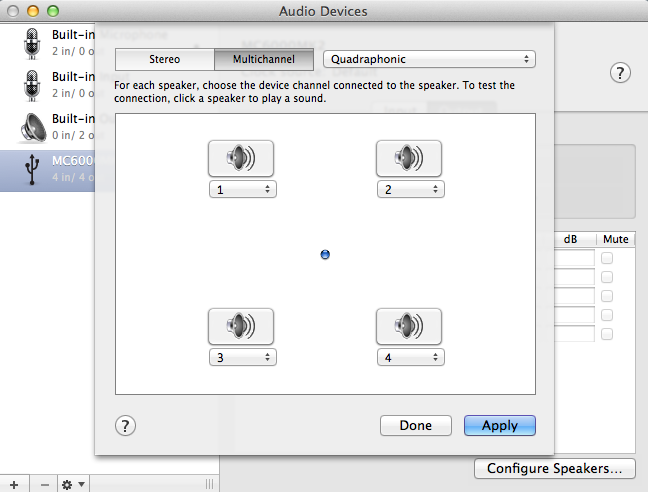
- Click Apply and Done. Exit out this window.
Make sure you have the latest version of Virtual DJ 7 Pro installed. The latest version as of 3/17/2015 is version 7.4.2. With this version, they're are no additional mappings to import or install. To check for this, open Virtual DJ -> click on Config -> select the Info tab. If you're not updated to the latest version, log onto Virtual DJ's website and update to the latest version.
Sound Setup:
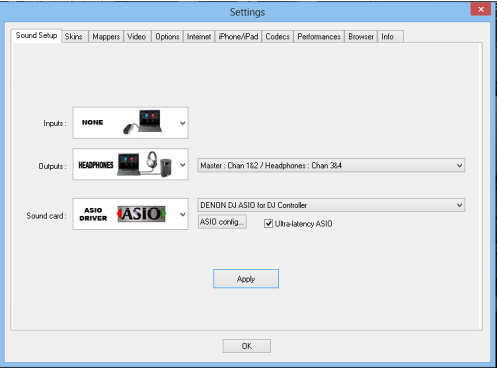
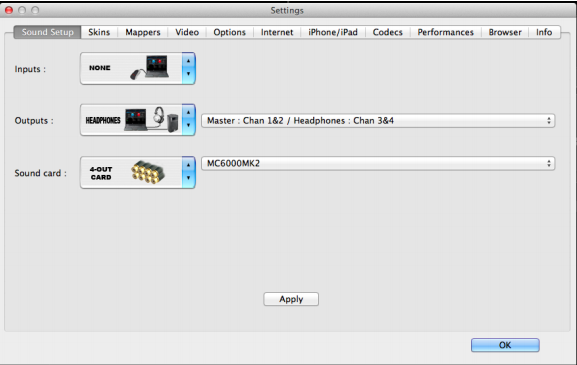
Launch Virtual DJ Pro and click on the Config button. Follow the screen shots below to successfully setup your MC6000MK2 in Virtual DJ 7 Pro. Click Apply when you're finished. That's it. You're ready to roll!
Windows Users:
Mac Users:
 ?
?
Further Technical Support
Whether you are a customer or dealer, if you already own a Denon DJ product, or if you just have pre-sales questions, the Denon DJ technical support team is available to help! Visit the link below to connect with any of the following support options: online community support, phone support, email support.