


Denon DJ MC6000MK2 - Setup in Traktor Pro
 The Denon MC6000MK2 is an integrated, full blown mixer, and dual deck MIDI Controller. It combines a 4-channel / 8-source standalone digital mixer – featuring real time channel matrix operation – USB MIDI control and 2 x stereo in / 2 x stereo out USB audio interface. The guide below will walk through the basic setup of Traktor Pro 2.7 for use with the Denon DJ MC6000MK2 controller.
- First, connect your Denon MC6000MK2 to your computer via USB. Click Next.
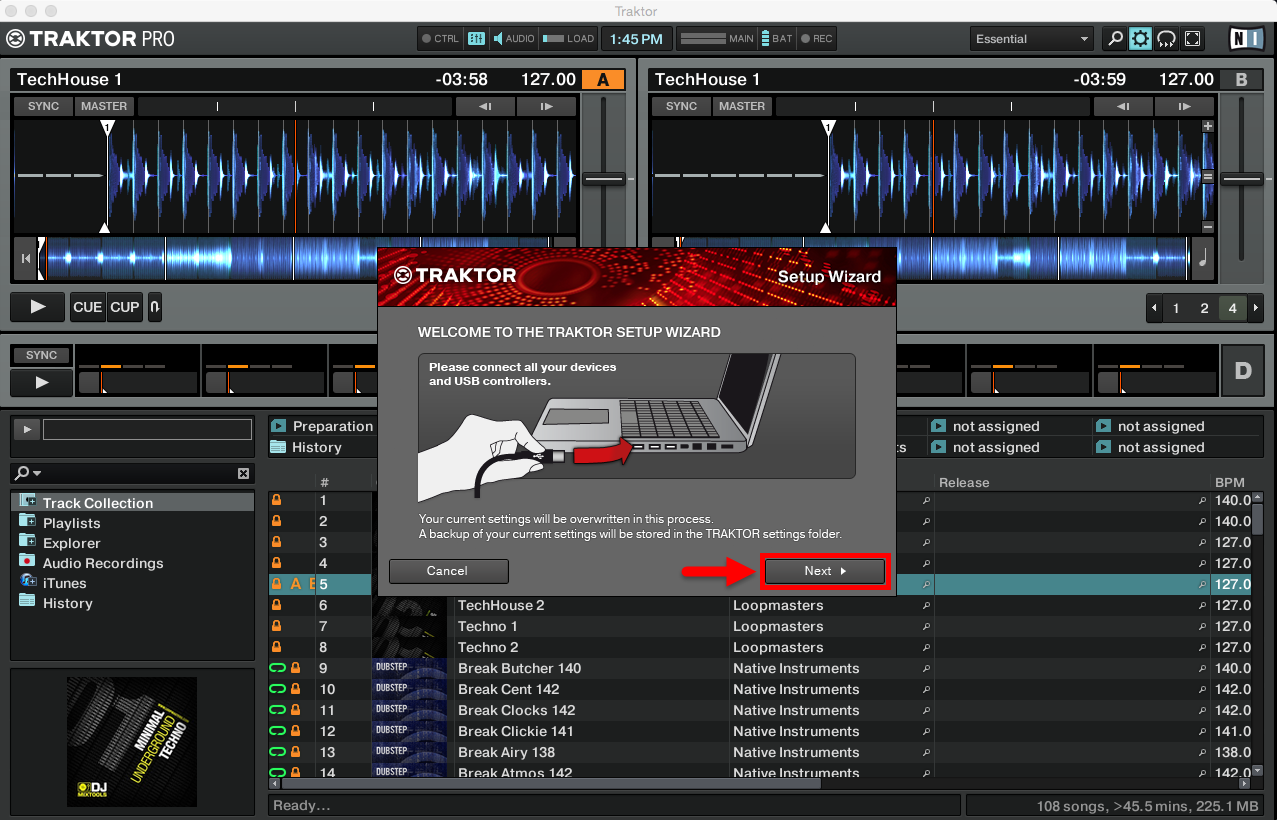
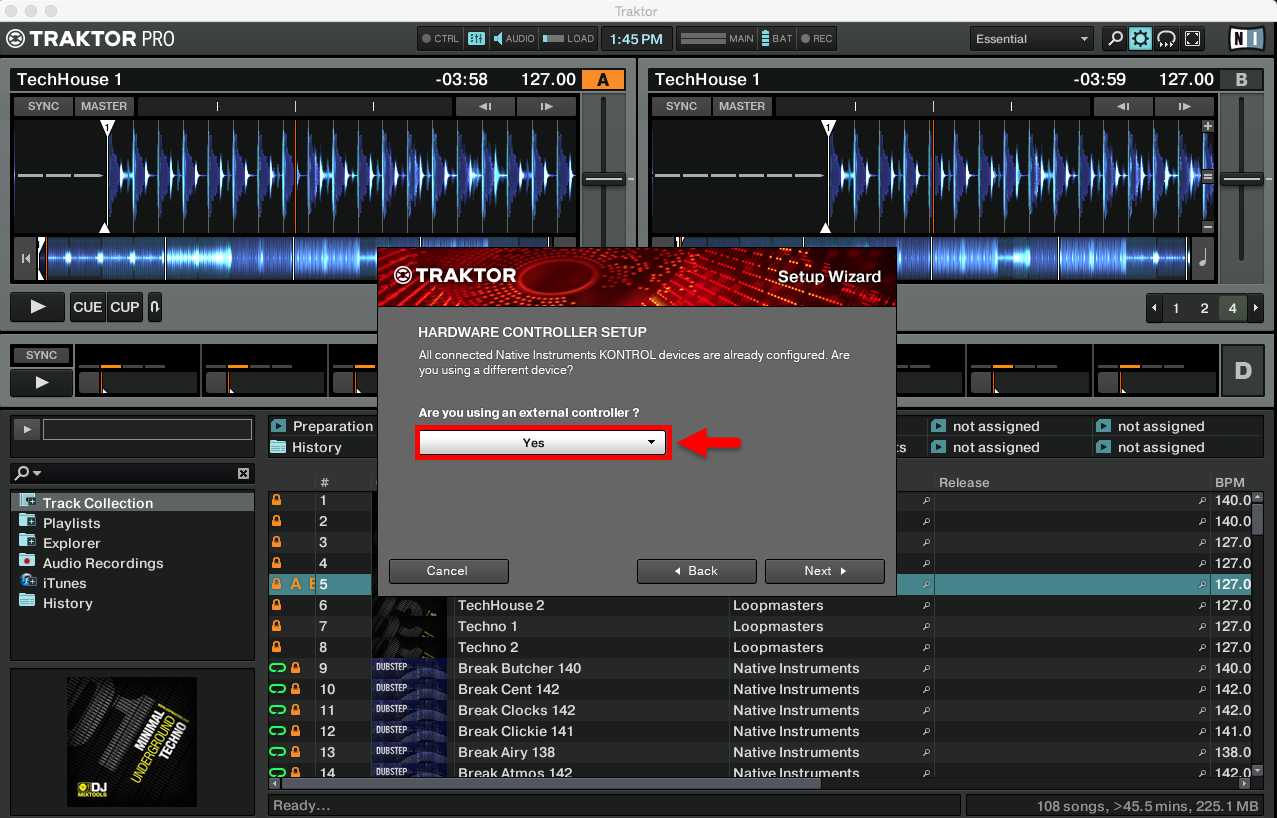
- Select Yes when it asks you if you're using an external controller. Click Next.
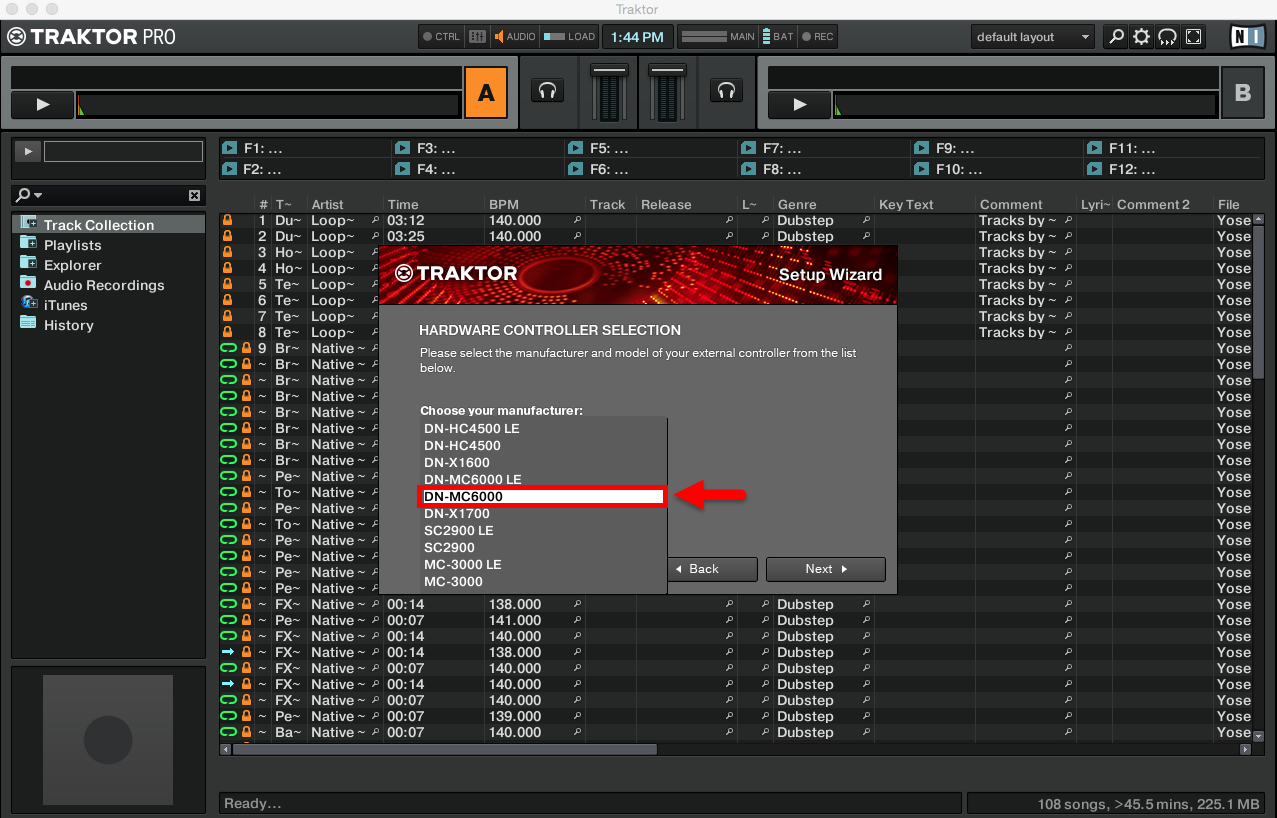
- Select DN-MC6000 as your hardware controller. Click Next.
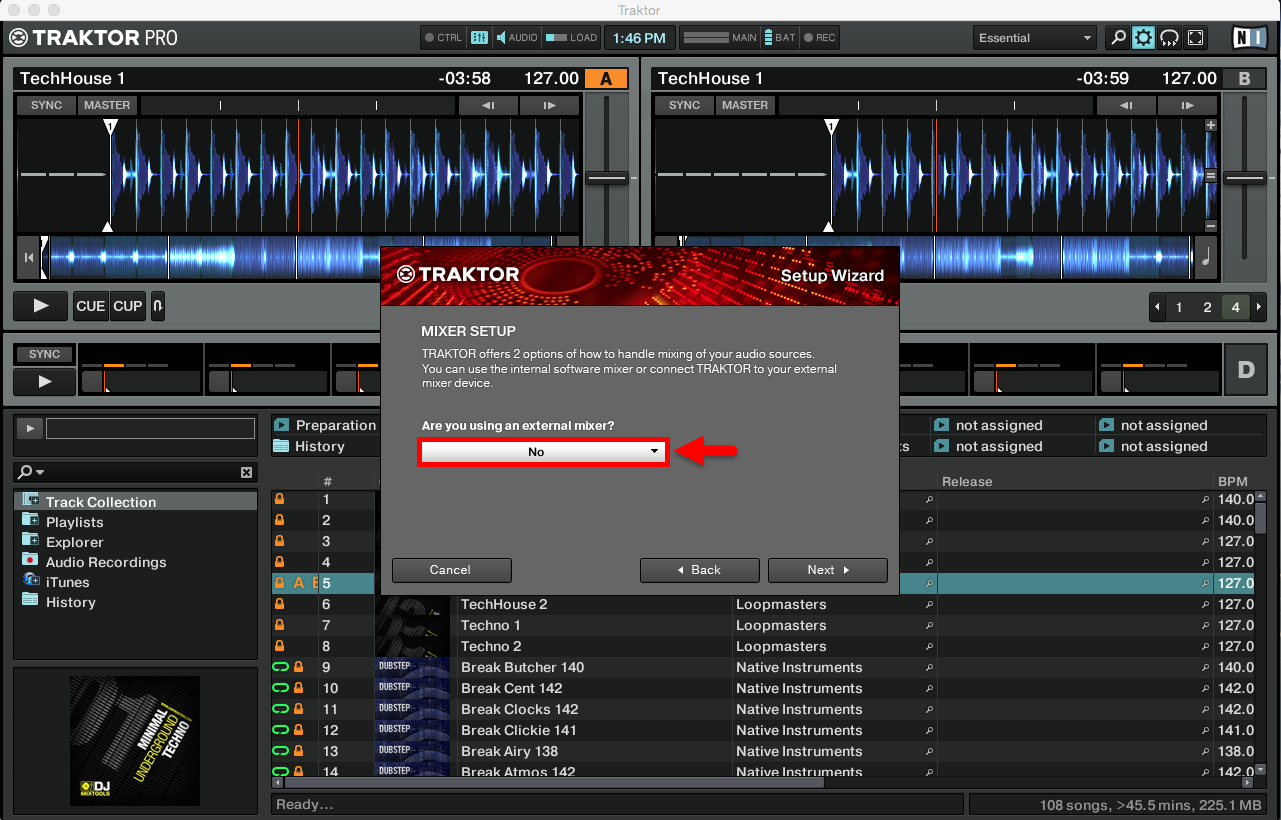
- When it prompts you "Are you using an external mixer?", select No. Click Next.
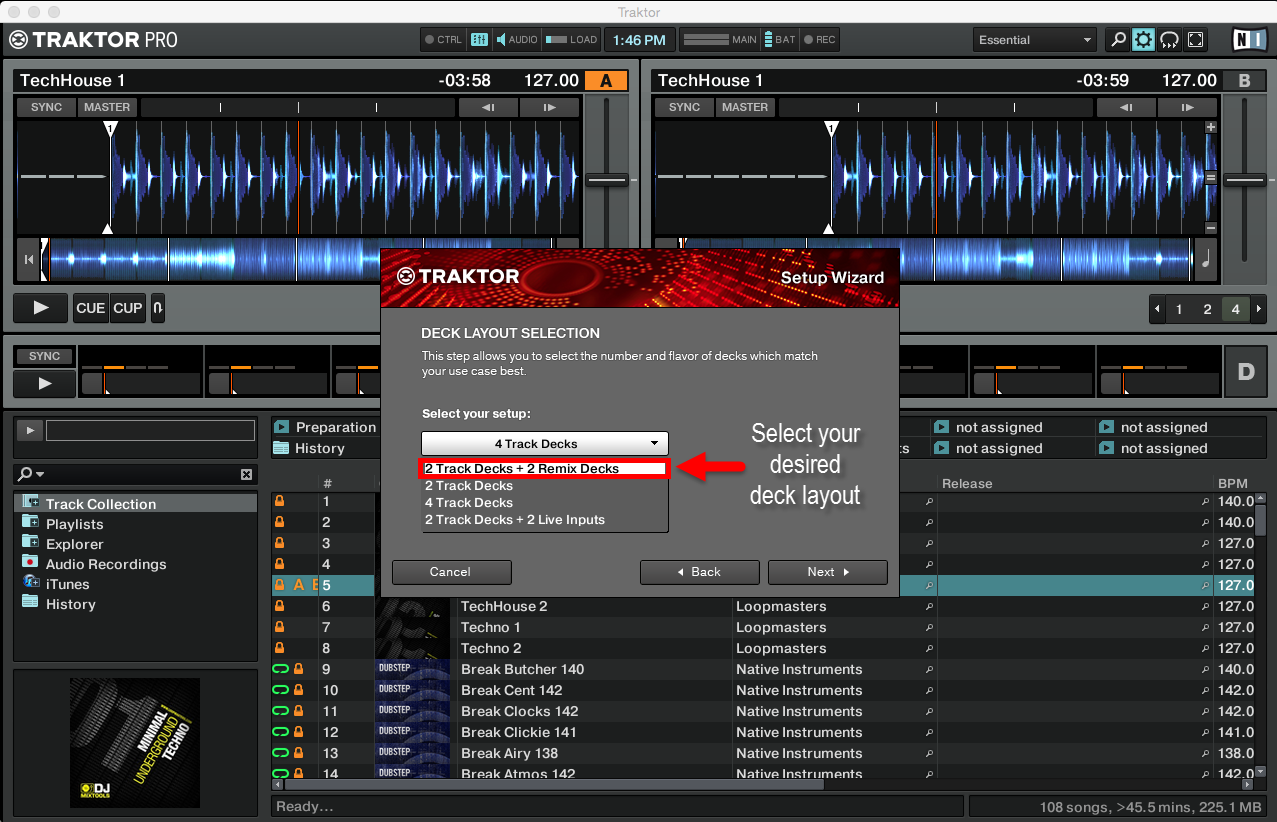
- Select the deck layout that you seem fit for your particular setup. Most likely you’re going to select a basic setup for your Decks. This can later be easily changed from within the software. Click Next.
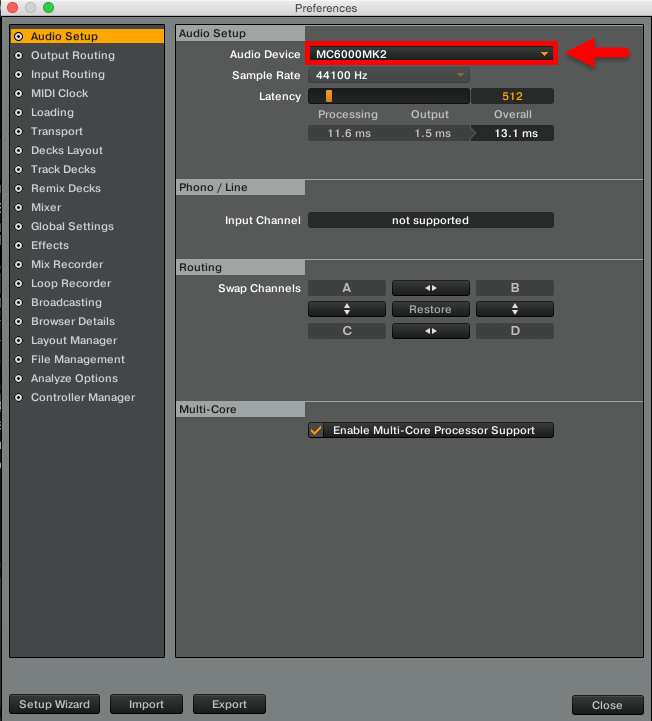
- In Audio Device, select MC6000MK2 as your Audio Device. Click Close. That's it!
Further Technical Support
Whether you are a customer or dealer, if you already own a Denon DJ product, or if you just have pre-sales questions, the Denon DJ technical support team is available to help!
Visit the link below to connect with any of the following support options: online community support, phone support, email support.